Change project name with Xcode
It seems that changing the name of a project is easy, but it may remain something unchanged. Following the steps to change the name completely.
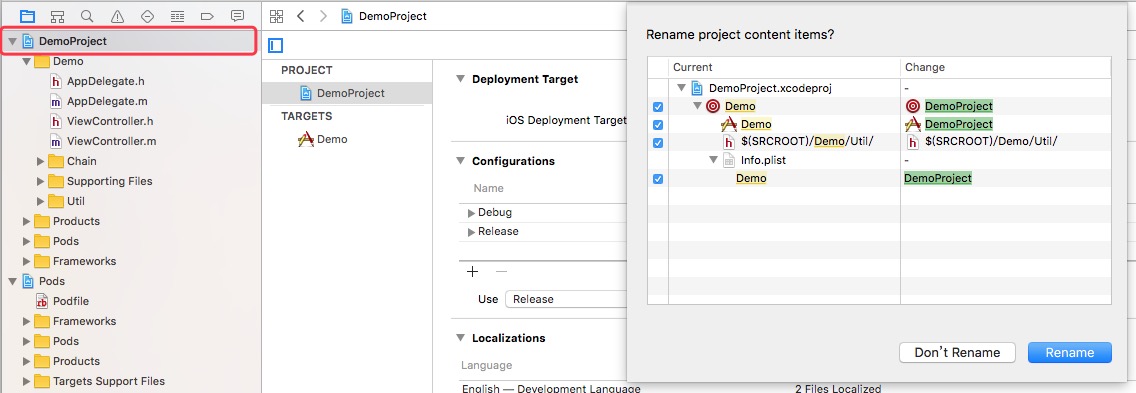
0、 Double click the project name and rename it, then follow the alert view to change the related names automatically.
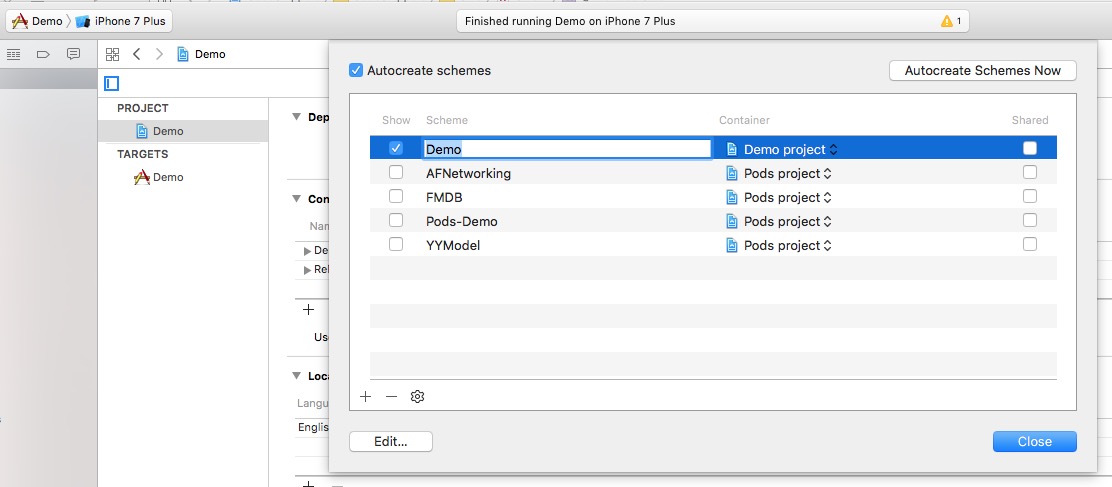
1、 Manage Schemes…, choose the scheme, tap return and enter the new name.
3、Change the target name of Podfile, delete the original libPods-Demo.a in Link Binary with Libraries and Demo.xcworkspace in root directory, then pod.
4、Change the names of some directories and the paths of files if necessary.
5、Delete old Targets and add new Targets in Edit Scheme… -> Build.
Refer to: http://matthewfecher.com/app-developement/xcode-tips-the-best-way-to-change-a-project-name-in-xcode/
comments powered by Disqus