Automator and Script Editor
Automator
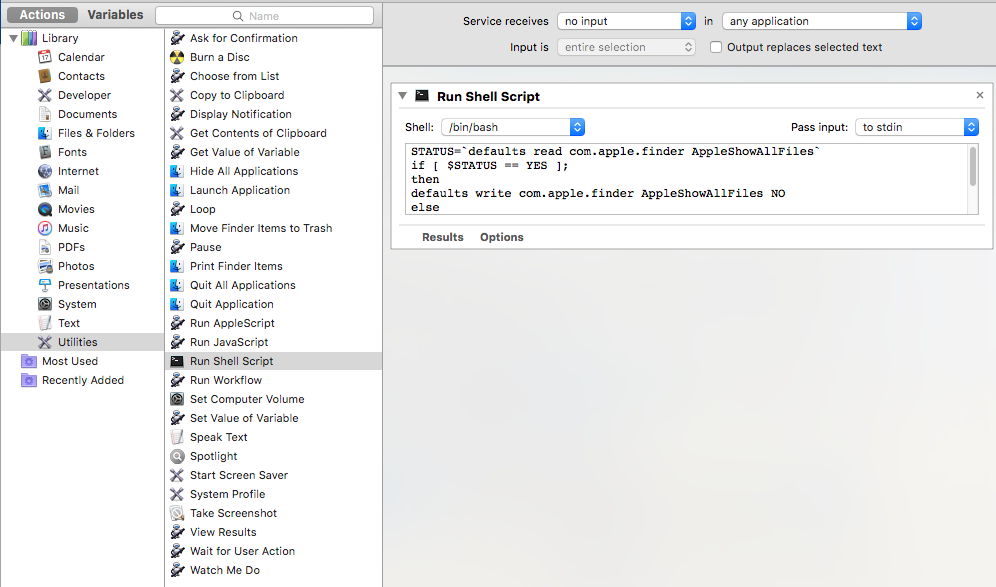
0. Automator -> Service -> Actions -> Utilities -> Run Shell Script Drag Run Shell Script to the blank on the right pane. Copy the following code into the input view.
STATUS=`defaults read com.apple.finder AppleShowAllFiles`
if [ $STATUS == YES ];
then
defaults write com.apple.finder AppleShowAllFiles NO
else
defaults write com.apple.finder AppleShowAllFiles YES
fi
killall Finder
1. Set Service receives to no input and save as a new file like named
ToggleInvisableFiles.
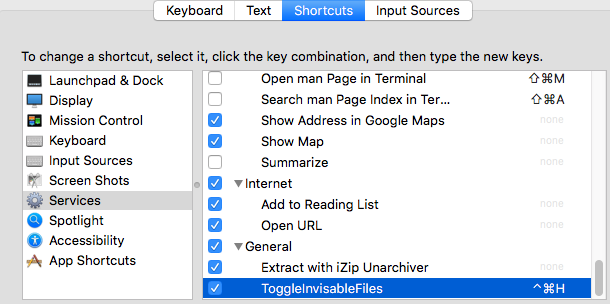
2. System Preferences -> Keyboard -> Shortcuts ->
Services -> ToggleInvisableFiles
Check it and double click the none and set a shortcut.
Script Editor
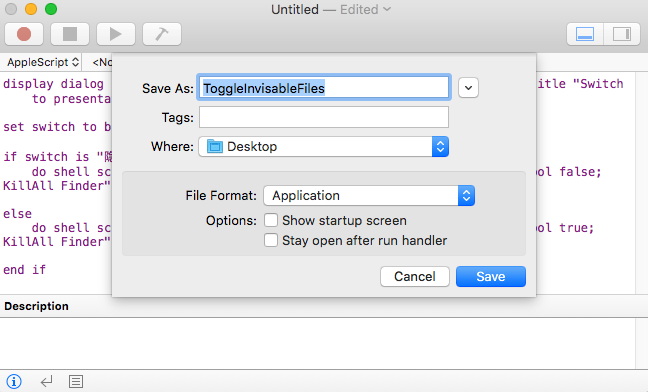
0. Open Script Editor and copy the following code into it.
display dialog "Hide/Show the invisible files" buttons {"Show", "Hide"} with icon 2 with title "Switch to presentation mode" default button 1

set switch to button returned of result

if switch is "Hide" then
	do shell script "defaults write com.apple.finder AppleShowAllFiles -bool false;
KillAll Finder"

else
	do shell script "defaults write com.apple.finder AppleShowAllFiles -bool true;
KillAll Finder"

end if
1. Save it as Application.