Static Library
Create a new Library
0. Create a new project
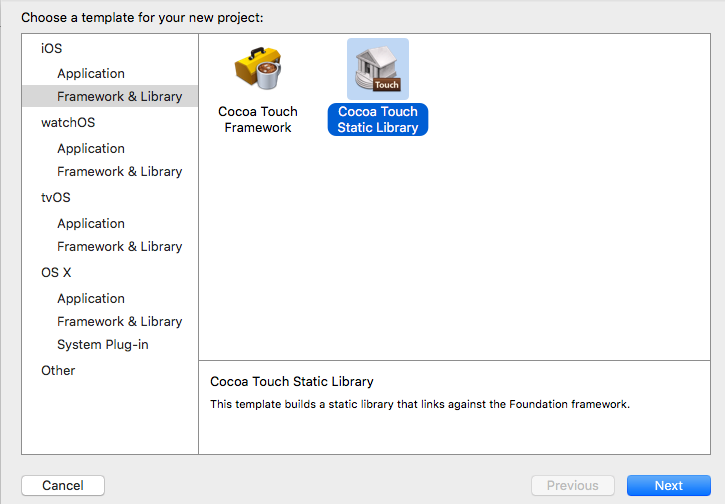
Create a new project named Print
1. Create methods
Create a method named print, then write something like NSLog in it. Remember add the name of the method to header file.
2. Set configurations and build twice
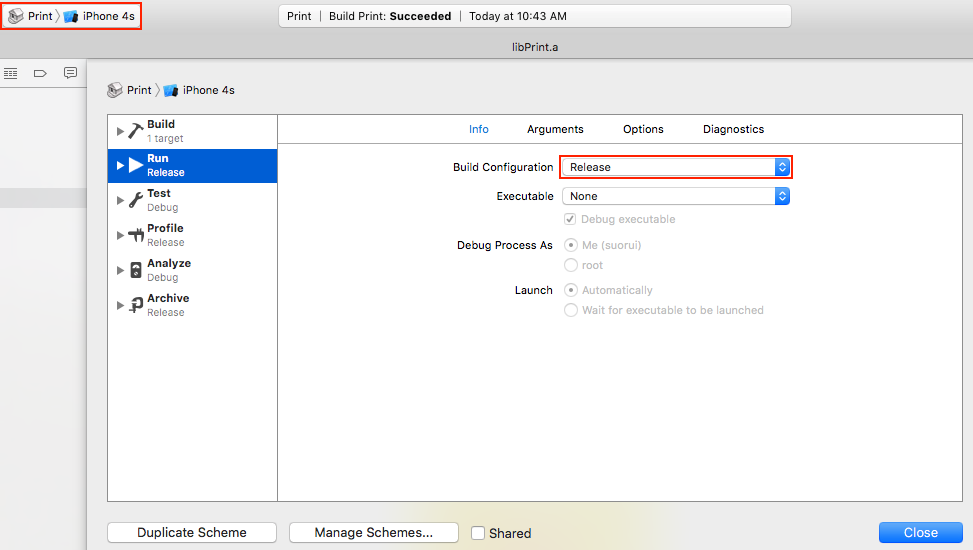
Set Build Only Device to iPhone X and go to Manage Schemes to
set Build Configuration to Release.
Build and get the lib for the architectures (i386 x86_64) for simulator.
Find libPrint.a under Products, right-click it and choose Show in Finder.
Go to directory Release-iphonesimulator,
we can use lipo -info libPrint.a to see it’s architectures are i386 x86_64.
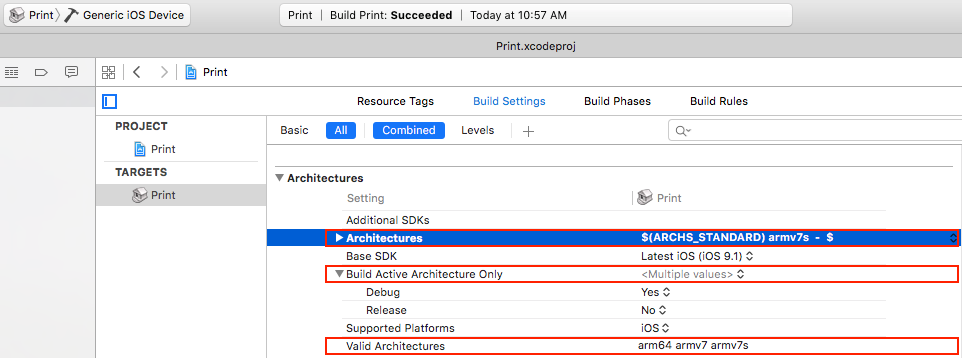
Add armv7s to Build Settings -> Architectures -> Architectures
Set Build Only Device to Generic iOS Device and go to Manage Schemes to
set Build Configuration to Release.
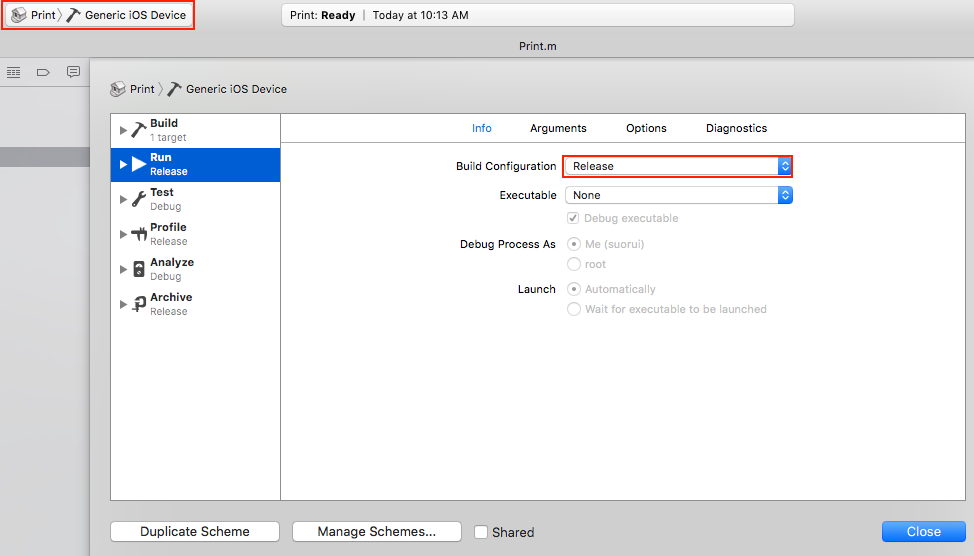
Build and get the lib for the architectures (armv7 armv7s arm64) for iPhones.
Go to directory Release-iphones, we can use lipo -info libPrint.a to
see it’s architectures are armv7 armv7s arm64.
3. Combine the 2 libs
Use $ lipo -create X/Release-iphonesimulator/libPrint.a
X/Release-iphoneos/libPrint.a -output X/Desktop/libPrint.a to
combine the 2 libs.
Use $ lipo -info X/Desktop/libPrint.a
to ensure it contains the 5 architectures mentioned before.
4. Create another project to invoke the lib we just built
Add Print.h and libPrint.a to the project. Import Print.h and invoke the method existing in it.
Refer to: http://blog.csdn.net/pjk1129/article/details/7255163
Create a Library based an existing project
0. Create a static library target
File -> New -> Target -> Cocoa Touch Static Library
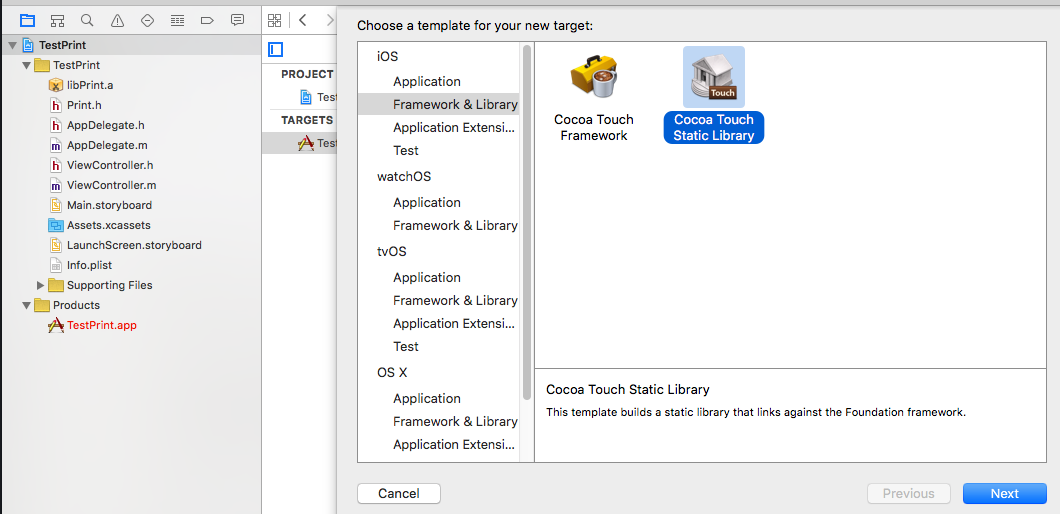
1. Drag all the files we want to be available in the lib to the lib directory
Add the .h and .m files and related lib files if needed to the directory of
library we just created. (Alternatively, we can delete all the files in
the existing project and add them to the library directory then
choose both targets on the popup dialog box)
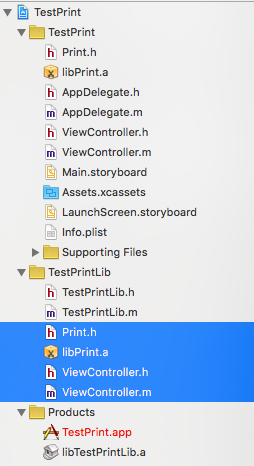
2. Build project
Choose TestPrintLib and do the same things as the step 3, 4, 5 we wrote in Create a new Library.
About Architecture
All kinds of Architecture
- armv6
- iPhone
- iPhone2
- iPhone3G
- First and second generation of iPod Touch
- armv7
- iPhone4
- iPhone4S
- armv7s
- iPhone5
- iPhone5C
- arm64
- iPhone5S
- iPhone6
- iPhone6+
Refer to: http://blog.csdn.net/u011545443/article/details/42294883
Conflicting among Architectures
IMPORTANT: For 64-bit and iPhone OS applications, there is a linker bug that prevents -ObjC from loading objects files from static libraries that contain only categories and no classes. The workaround is to use the -all_load or -force_load flags. -all_load forces the linker to load all object files from every archive it sees, even those without Objective-C code. -force_load is available in Xcode 3.2 and later. It allows finer grain control of archive loading. Each -force_load option must be followed by a path to an archive, and every object file in that archive will be loaded.
-
If we only use libs, like BMKMapView in xib, didn’t use them in code, the compiler won’t link them, so we should set Other Linker Flags to -ObjC.
Refer to: http://leenjewel.github.io/blog/2015/01/08/ios-ping-tai-cocos2d-x-xiang-mu-jie-ru-xin-lang-wei-bo-sdk-de-keng/ -
If the conflicting structure of architecture is same in each lib, we can consider splitting the libs then combine them.
$ lipo libzbar.a -thin armv7 -output libzbar-armv7.a
Unarchive the split libs, we will get the .o files.
$ ar -x ../libzbar-armv7.a
Archive *.o into the new lib
$ libtool -static -o ../libnew-armv7.a *.o
Refer to: http://blog.163.com/023_dns/blog/static/118727366201391544630380 -
When the lib that written with multiple language like Objective-C and C++, we should set Compile Sources As to According to File Type and change the extension of related files to .mm.
-
The global C functions in the .m files will result in link error when referred in the .mm files. This might because the linker only go into .cpp and .c files to scan the C functions when dealing with .mm files because there is no link error when the C functions were referred in .cpp files. The solution is that we can write class methods to invoke the global C functions in the .m files and just expose the OC class methods to other classes.
Refer to: http://blog.sina.com.cn/s/blog_7a2ffd5c010150xb.html